A complete golf simulator package should make the equipment decision easier. The important question is what the selected package actually contains and what your room still needs before you can play. A product image can show the experience you are aiming for, but the included items list is the place to confirm your purchase.
Think of a simulator as several connected parts: the equipment that reads the shot, the surfaces that receive it, the hardware that displays it, and the computer and software that bring everything together.

The Launch Monitor
The launch monitor measures the shot and supplies information to the software. Choose it for the practice experience you want and the space available. A ground unit and an overhead unit can require very different layouts even when they are used with a similar screen.
Check the exact model in the package, its connection requirements, and the hardware supplied with it. Do not assume that a photograph of an overhead sensor also means the package includes every mounting extension needed for your ceiling.
The Enclosure, Screen, and Frame

The enclosure and impact screen create the hitting destination. Confirm screen material, nominal size, depth, and actual assembled dimensions. Then check whether the package includes frame pipes, protective inserts, rear covers, or other selected accessories.
For example, our EYE MINI LITE Pro package includes the matching pipe framing kit. Its optional enclosure accessories are additional selections. Our EYE XO2 Curved package includes matching frame pipes, rear cover, rear cover pipes, and one safety baffle. The two included lists are different.
The Hitting Mat
A mat deserves the same attention as the electronics because it is the surface you will stand on and strike from every session. Check the overall footprint, hitting strip, base, and which size is selected. A hitting mat does not automatically include enough landing turf to cover the rest of the room.
The Pro package offers Country Club Elite mat sizes. The Curved package includes the 6 × 10 ft HotShot system with its selected hitting strip, rubber base, ball tray, and indoor tees. Review the current product page for the full configuration rather than relying on the starting image.
The Projector and Its Installation
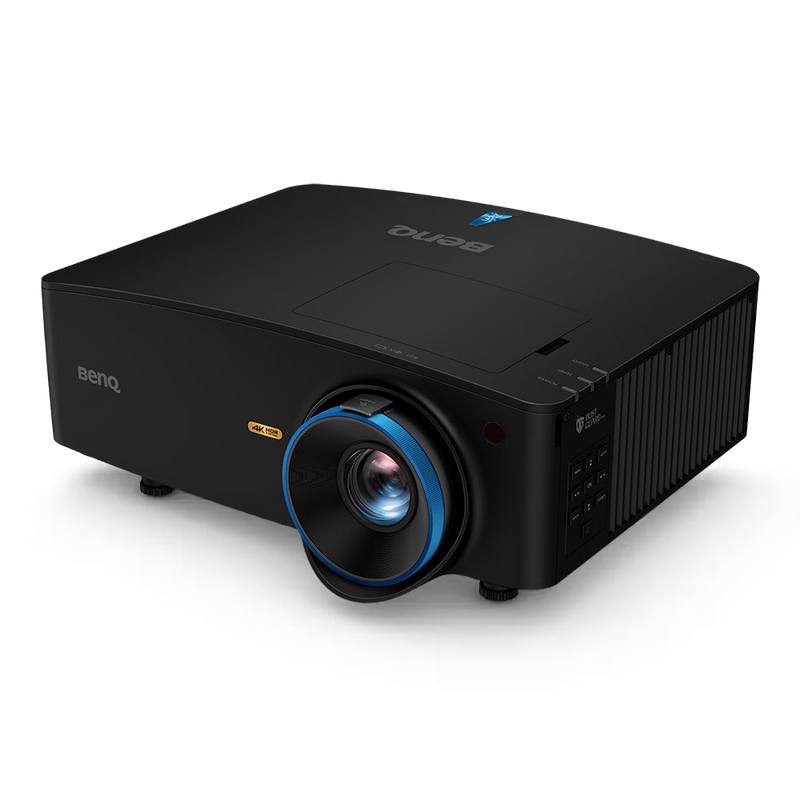
Both featured packages list the BenQ LK936ST projector. The projector is one part of the installation. Its mounting position, image size, cable route, and the player’s swing path must work together. A curved screen also needs careful image alignment.
Check whether the projector mount and the required display cable are included or optional. A supplied cable may not be long enough for the route around your room. Plan the route before choosing a cable length.
What You May Still Need
Our featured packages require a compatible Windows PC, projector mounting solution, room specific display cabling, and any paid simulator software separately. Installation service and additional landing turf are not included. Tax, shipping, and room preparation also need to be considered when planning the finished setup.
Software deserves its own check. Practice software, paid course libraries, third party connections, and temporary trials are different things. Confirm the features you want, the hardware needed to run them, and any renewal charges before checkout.
Check the Selected Package Before Ordering
Read the included items, requirements, and selected options together. Confirm the launch monitor, screen material, enclosure dimensions, mat size, frame components, projector, and optional accessories. Save the selected configuration so that you can compare like for like if you request another quote.
Finally, ask how the components will arrive and who will handle installation. A package can bring compatible equipment together without being a room installation service. Understanding that distinction helps you plan the first session without last minute purchases.
Final Thoughts
The right studio starts with a clear plan for your space and how you want to play. Call (619) 927-6193 or email info@eliteswingstudio.com with your room measurements, player preferences, and budget. We can help you compare the options before you order.


