The price of a launch monitor is only one part of a home golf simulator budget. The number that matters is the cost of the equipment you select plus everything your room needs to make that equipment usable. Comparing those totals gives you a clearer decision than comparing starting prices alone.

A Real Equipment Package Breakdown
The EYE MINI LITE Pro Golf Simulator Package, selected with Premium White screen material, a nominal 9 × 12 × 5 ft Pro enclosure, and a 5 × 5 ft Country Club Elite mat, displayed the following component prices:
-
Uneekor EYE MINI LITE: $1,999.00.
-
Carl’s Place Pro enclosure and selected screen: $3,549.95.
-
Matching pipe framing kit: $995.00.
-
BenQ LK936ST projector: $4,899.00.
-
Country Club Elite 5 × 5 ft mat: $599.00.
Equipment subtotal: $12,041.95, before shipping and tax. This is one configuration, not the cost of every Pro package option. Changing the enclosure, screen material, mat, or optional accessories changes the total.
Budget for the Computer and Software
A compatible Windows PC is separate from this package. Select it against the current requirements of both the launch monitor software and the course software you intend to run. The computer you need for your chosen resolution and features may differ from an older minimum specification found online.
Ask which software features are included, which need a paid plan, and which belong to a separate provider. A trial period should not be treated as a permanent inclusion. Add the first year of any planned subscriptions to your budget and record what renews after that.
Include the Installation Essentials
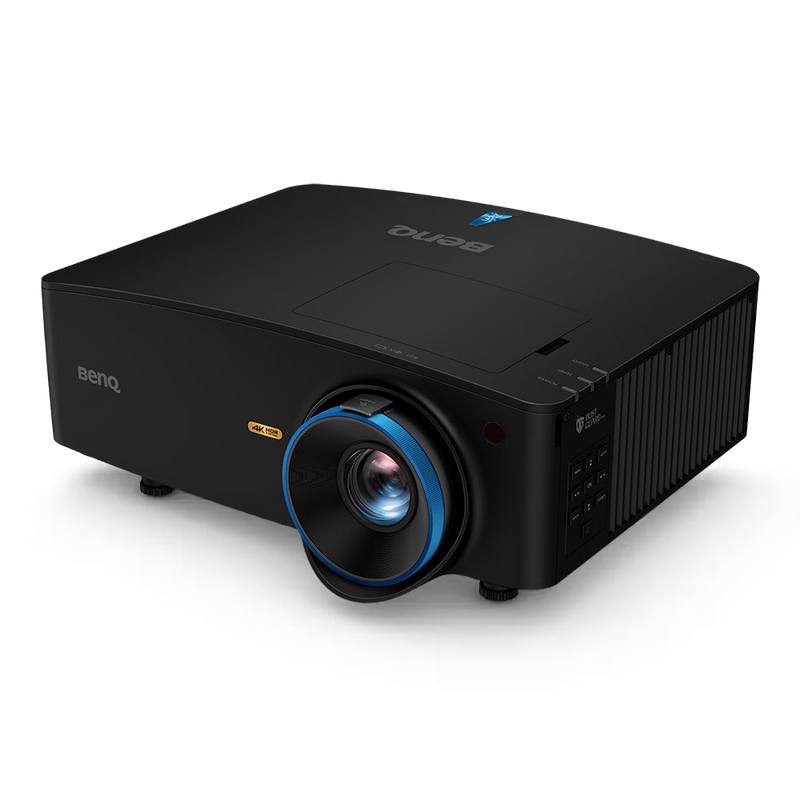
The package page lists a projector mount and installation specific display cabling separately. Confirm the mounting surface, required drop, cable path, signal requirements, and power outlet locations before selecting those accessories. A low accessory price is not useful if the item does not suit the room.
Include any installer, electrician, or room preparation quote that applies to your project. Do not assume an equipment package includes labor, wall protection beyond the supplied enclosure, acoustic treatment, flooring, or moving existing fixtures.
Separate Essentials From Optional Upgrades
Start with the equipment required for your intended setup. Then decide whether additional cameras, rear covers, landing turf, decorative lighting, or a larger screen improve the experience enough to justify their cost.
When comparing two packages, check whether one includes something the other treats as an option. A higher equipment subtotal can reflect a different set of included components. It does not automatically mean that every part is a better choice for your room.
Why a Curved Studio Has a Different Budget

The EYE XO2 Curved Golf Studio Package combines a different launch monitor, enclosure, and mat system. Its Premium White, nominal 9.5 × 16 × 8 ft configuration was verified at $26,760.75 before shipping and tax. That price still excludes the separate computer, projector mounting solution, room specific cabling, paid software, and installation.
Compare the value of its overhead layout and larger studio format with how you will actually play. If the Pro configuration already meets your practice needs, the larger package is not automatically the better purchase.
Build Your Finished Setup Budget
Use this calculation: selected equipment + required extras + computer + first year of paid software + room preparation and installation + shipping + applicable tax. Request quotes for the uncertain items before committing. Keep an additional allowance for changes rather than relying on an exact equipment subtotal as the final project cost.
For example, if you set an equipment and setup budget of $15,000 against the $12,041.95 Pro example, the remaining amount is $2,958.05. That remainder must cover all of the separate items you still need. It is arithmetic for planning, not a promise that those items will fit within that allowance.
For the recurring budget, track software renewals, potential replacement hitting surfaces, and any support services you choose. Keeping purchase costs and ongoing costs separate makes the long term commitment easier to understand.
Final Thoughts
The right studio starts with a clear plan for your space and how you want to play. Call (619) 927-6193 or email info@eliteswingstudio.com with your room measurements, player preferences, and budget. We can help you compare the options before you order.


